
Re-ordering Activities
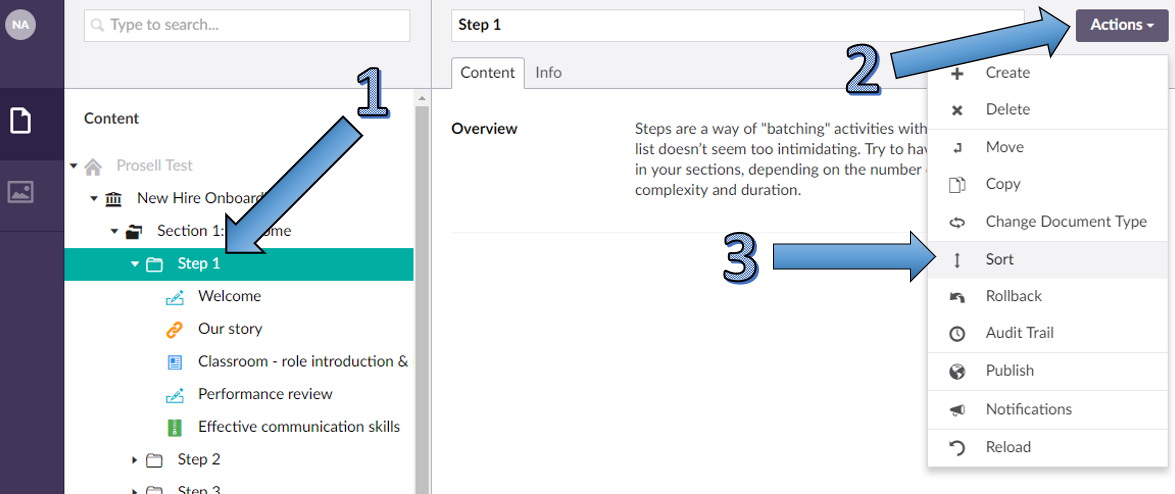
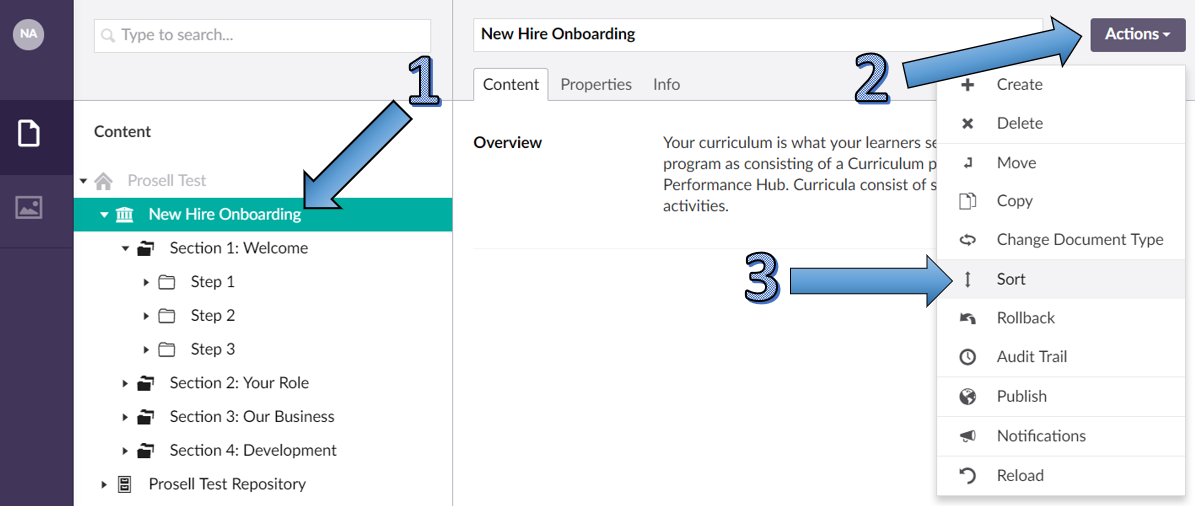
If you need to re-order the activities within a step, you first need to select the step that the activities are in (1).
Then, click the 'Actions' button that's positioned in the top right-hand corner of the page (2).
From the options within the dropdown, select 'Sort' (3).
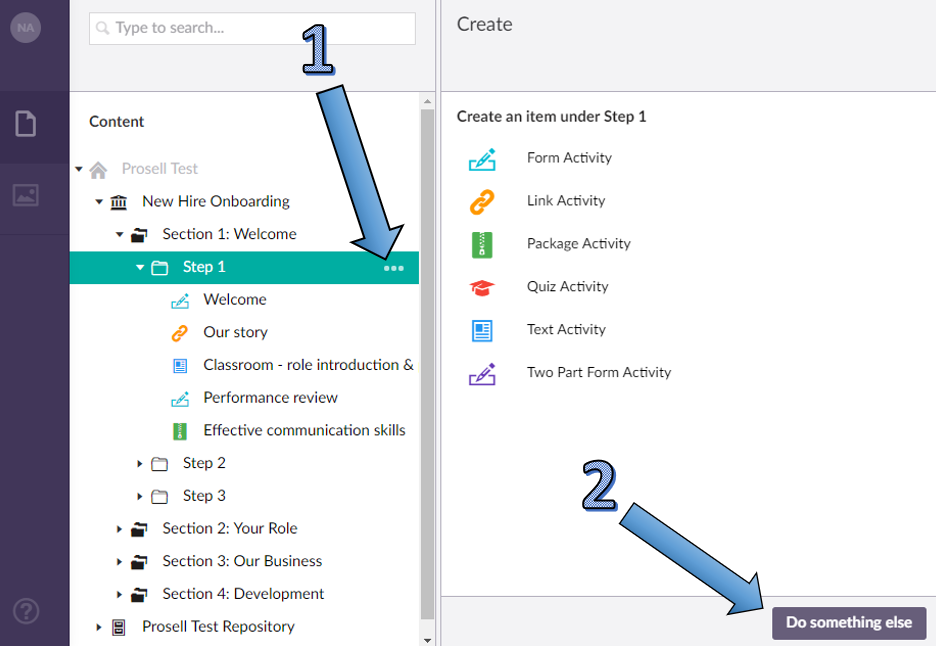
An alternative method of accessing the 'Sort' option is by selecting the three horizontal dots that appear when you hover your cursor over the step name (1). Then, at the bottom of the 'Create' window select the 'Do something else' button.
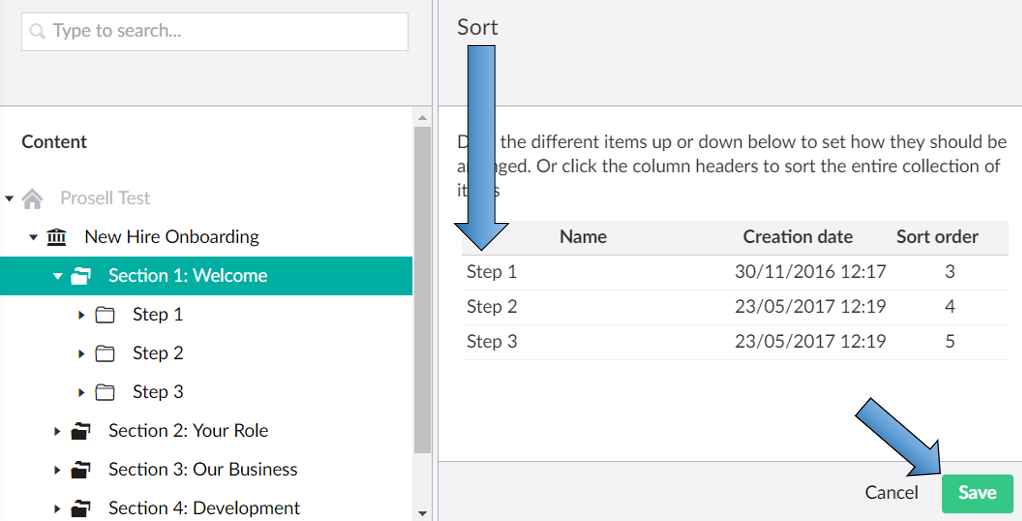
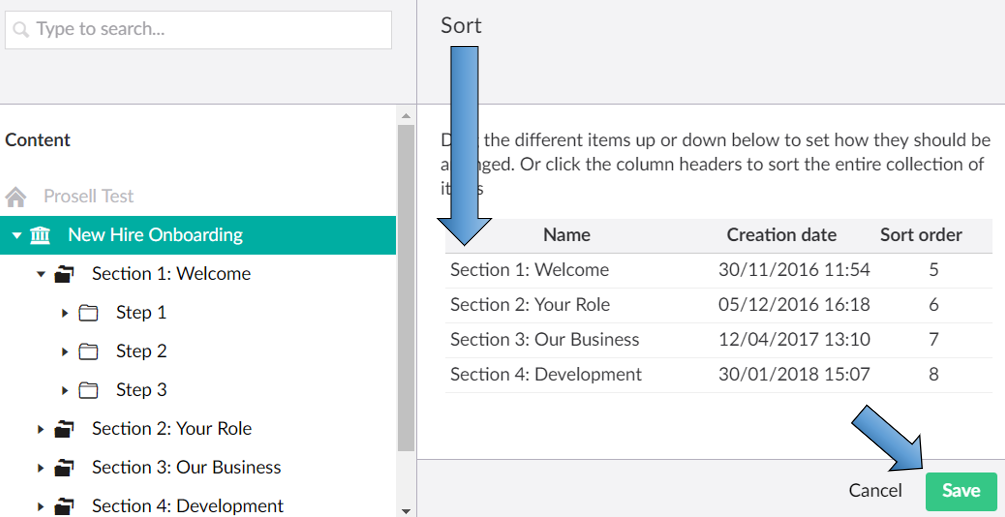
Once you have selected to sort, you should then be able to see the activities within the selected step, where you can click and drag them into the preferred order.
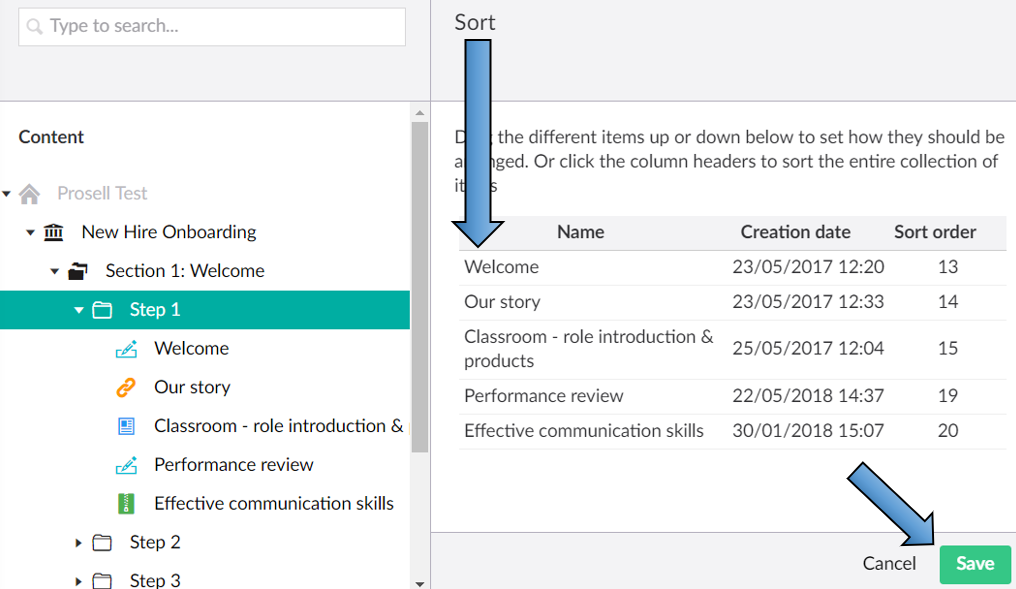
Once you have got to your desired order, click the 'Save' button to confirm.
Re-ordering Steps
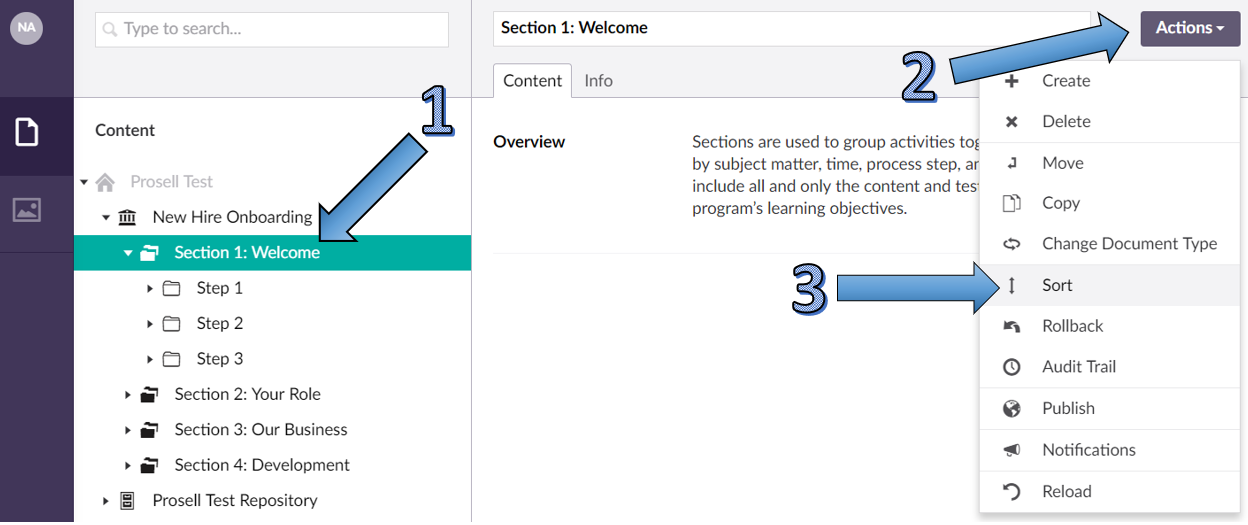
If you need to re-order the steps within a section, you would select the section that the steps are within and then repeat the process outlined above through the 'Actions' or 'Do something else' button and drag the steps into the desired order.
Re-ordering Sections
If you wanted to re-order the sections within your program, you would select the name of the program from the top of the content structure and then repeat the process of going through 'Actions' and 'Do something else' and drag the sections into the desired order.
Comments
0 comments
Please sign in to leave a comment.