
Adding administrators to a type
To add a user into one of your admin types you need to go back to the 'Program administrators' page. You can do this through the left-hand navigation menu or using the breadcrumb trail at the top of the page to go up a level. Then, click the 'Manage administrators' button.
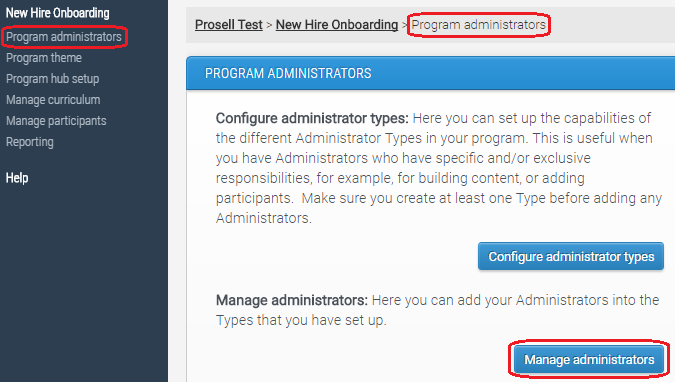
Through here you can select one of the types to add an administrator to.

Enter the user's first name, last name and email address and press save to confirm.
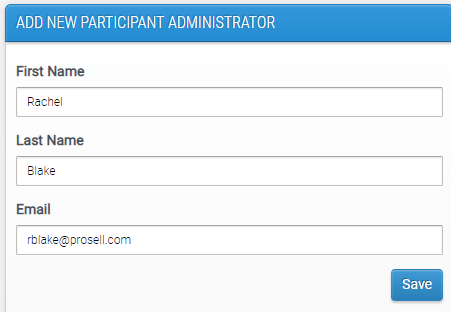
This user will then receive an email containing a link to the admin dashboard and ask them to set their password if they haven't already done so as part of another program in On.Board.
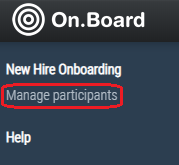
In this example, the user has been added to an administrator type that only has permissions to manage the program's participants. Therefore, when they access the admin dashboard they will only have this page visible on their navigation menu.
Comments
0 comments
Please sign in to leave a comment.