
Super Administrator Access
Being a "Super Administrator" means you have access to all programs within your organization account and can create new programs too. With this comes great responsibility.
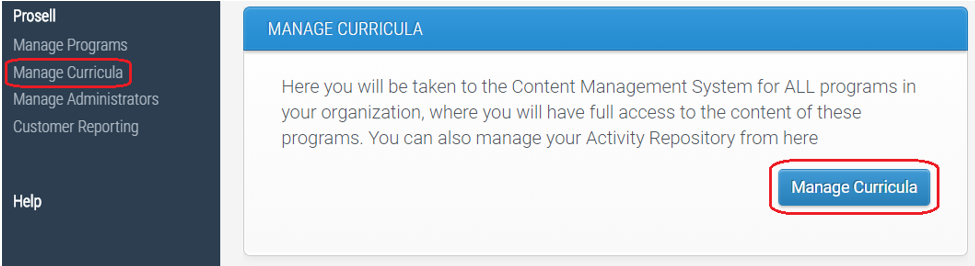
If you have this access, then once you have logged in to the admin dashboard, you will have an option in the left-hand navigation menu for ‘Manage Curricula’. Through here you have control over the curriculum of each program (sections, steps and activities), in addition to the repository (folders and activities).
Managing The Repository
Your organization’s repository will be in the same list as the programs (its icon will differ to the others – see below).
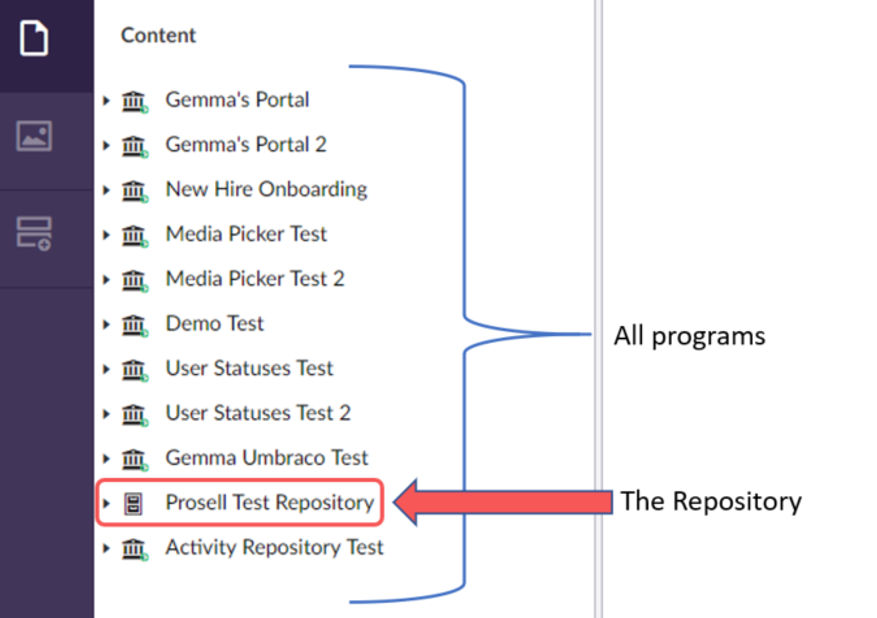
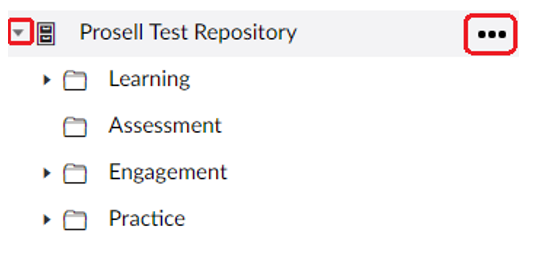
Expand the repository, or any of the programs, by clicking the arrow to the left of the name.
Create a new folder in the repository by clicking the three horizontal dots to its right.
Change the name of an existing folder by selecting it (1), editing the name at the top of the page (2), and then saving it (3).

You can also expand each folder (small arrow to the left) to view the activities within them and make amends as necessary.
Comments
0 comments
Please sign in to leave a comment.