
Learner Email Reminders
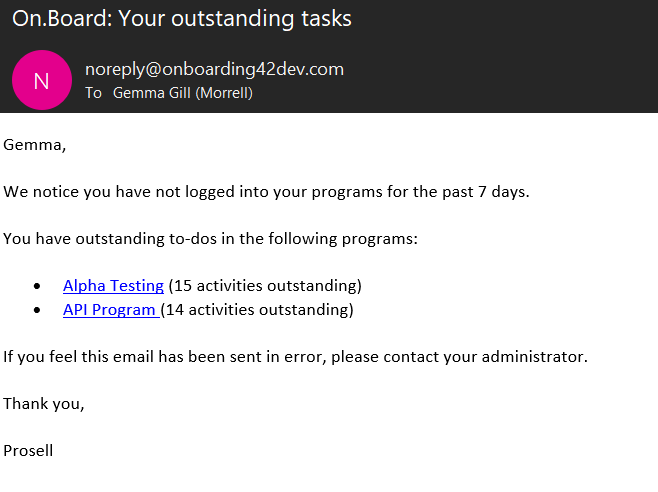
- If learner email reminders are switched on for a program, learners will receive an email reminder every week (Wednesday 13:00 GMT) if they meet all of the following criteria:
- Have not logged on to the system for the previous seven days
- Have at least one activity in their ‘to-dos’
- Have not graduated
- The email reminder will include a list of their programs (hyperlinked) and the number of outstanding ‘to-dos’ in each
- By default, reminders will be switched off for new and existing programs. They will need to be enabled by administrators with ‘curriculum’ privileges
- Please bear in mind that the criteria and timings of reminders will not be configurable at this stage.
You can switch learner email reminders on for your program through 'Manage curriculum' and then 'Manage email reminders':
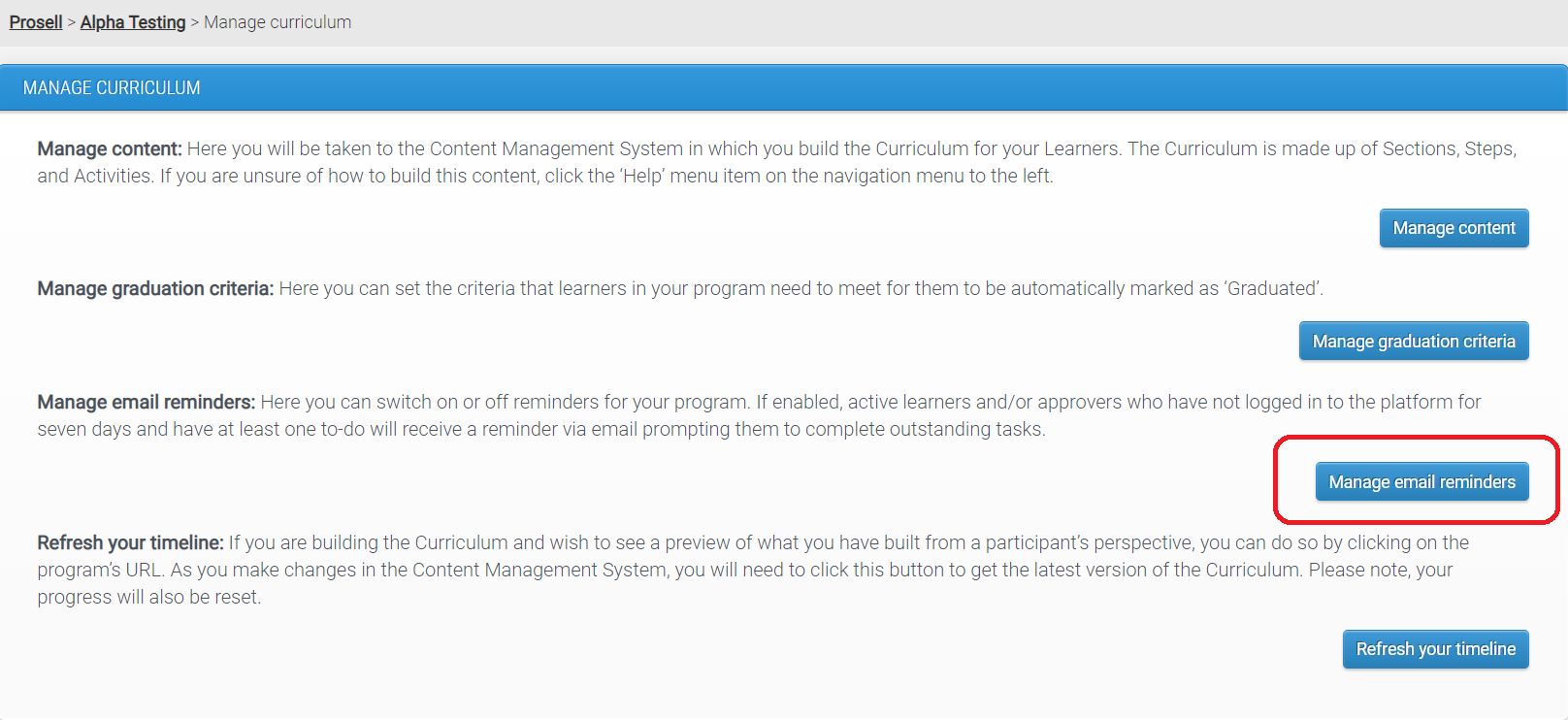
Then toggle the ‘Learner Reminders Enabled’ switch to 'Yes' and press 'Save':
Approver Email Reminders
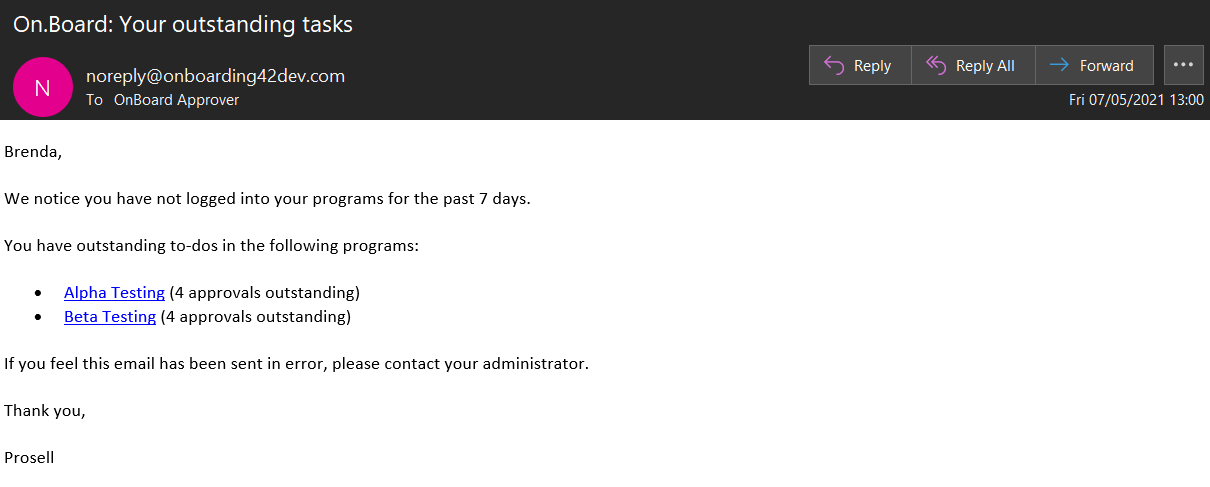
If ‘Approver reminders’ are switched on for a program, approvers will receive an email reminder every week (Wednesday 13:00 GMT) if they meet all of the following criteria:
- Have not logged on to the system for the previous seven days
- Have at least one outstanding approval to complete
- Have received email reminders for less than 5 consecutive weeks
The email reminder will include a list of their programs (hyperlinked) and the number of outstanding approvals in each.
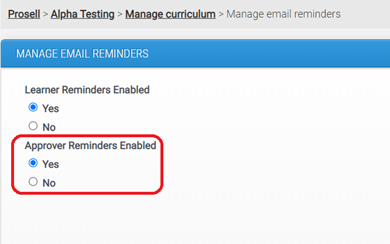
Toggle the ‘Approver Reminders Enabled’ switch to 'Yes' and press 'Save':
Is Enabling Reminders Mandatory?
No. By default Learner and Approver Reminders will be switched off. Each of these two reminder types can be switched on separately from each other.
What do the Reminder Emails look like?
1. Learner Reminder:
2. Approver Reminder:
3. Reminders for participants with dual roles:
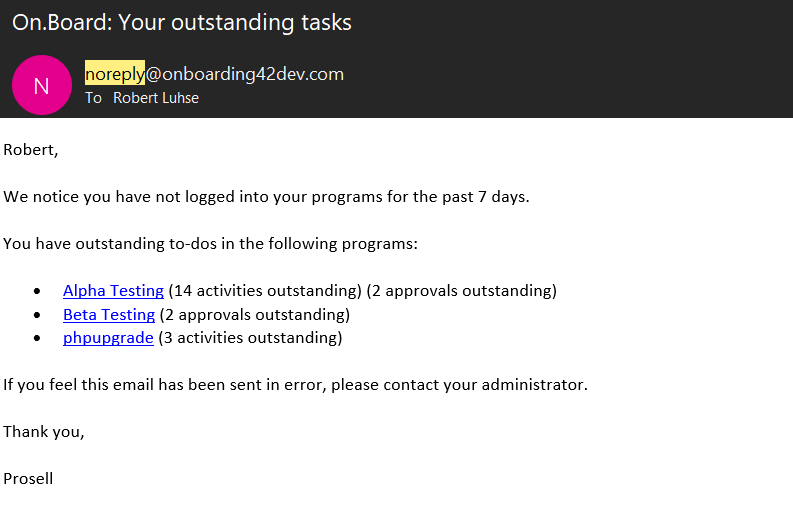
Email reminder text is not customizable, because reminders can include information about more than one program.
Comments
0 comments
Please sign in to leave a comment.