
At The Beginning of your On.Board Journey...
You will be added to the system as an administrator.
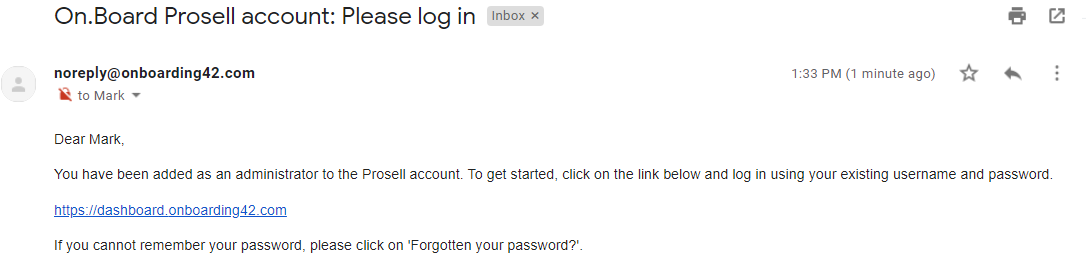
If you have already been enrolled as an On.Board user and set your password then you will receive an email containing the link to the admin dashboard.
If you have not already set your password, your email will contain a link to set this.
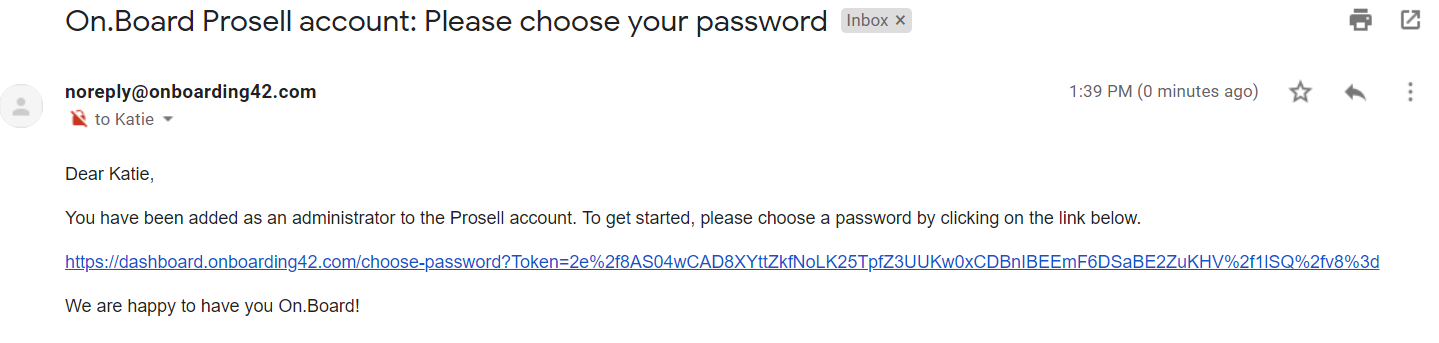
Clicking the set password link within the email will take you to the dashboard where your password for the system can be set.
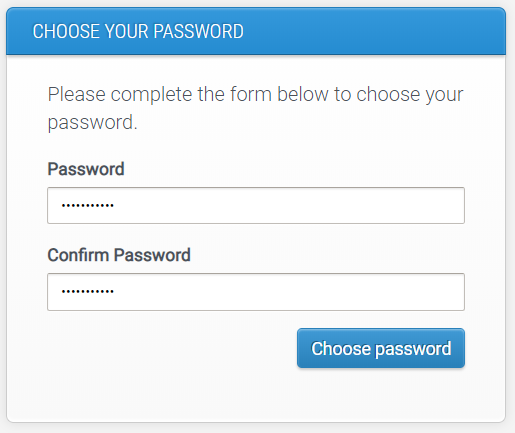
Once you have set your password, you will be taken to the admin dashboard where you can create and manage your programs.
The options that you have on the navigation menu on the left-hand side will depend on what level of administrator you are.
Customer administrator - you are the owner of your company account, meaning you have access to all existing programs and can create new ones.
Program administrator - you are an administrator of one or more programs, but are not able to create more programs. Permissions can be narrowed down even further within a program (e.g. participant administrators who's access is restricted as they are only responsible for enrolling participants to the program). Click here for more information on setting up program administrators.
Customer administrator
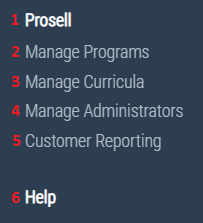
1. Name of the customer
2. Programs - see a list of all programs (names and URLs). Click 'Manage' to administer one of them and your navigation menu will then display the Program administrator options (see next section).
3. Curricula - access the content management system (where each program's curriculum is built) for all programs
4. Administrators - view all customer administrators. Others can be added through here if necessary, however we recommend there only being a few users at this level
5. Customer Reporting - view reports for all programs
6. Help - access to help resources for administrators
Program administrator
From this level you are given all administration options for a particular program. The name of the program you're managing is displayed at the top.
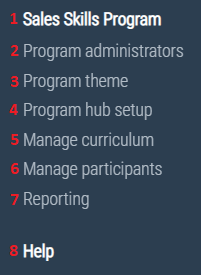
1. Name of the program - access the program's front-end URL
2. Administrators - define the permissions of program administrators
3. Theme - set the program color scheme and logos
4. Hub setup - define the names and capabilities of those who will be supporting the learners of the program (role and relationship types)
5. Curriculum - create the activities that learners will be required to complete
6. Participants - enroll users onto the program and set up relationships between them to determine the support network of each learner (those in their hub)
7. Program Reporting - variety of reports to track the activity of participants in the program
8. Help - access to help resources for administrators
Comments
0 comments
Please sign in to leave a comment.