
Whether you have access to a program’s reporting depends on the administrator capabilities you have been given. If you are a curriculum or participant administrator only, then you may not have access to the program’s administrators and you will therefore need to ask the program owner.
If you have access to the ‘Program administrators’ menu item, then use the following steps to give yourself the reporting capability:
- Click ‘Program administrators' and then ‘Configure administrator types’.
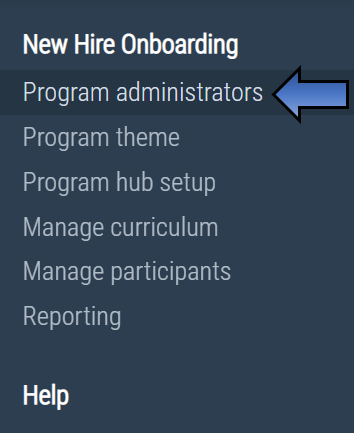
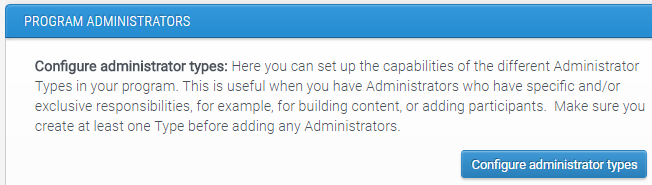
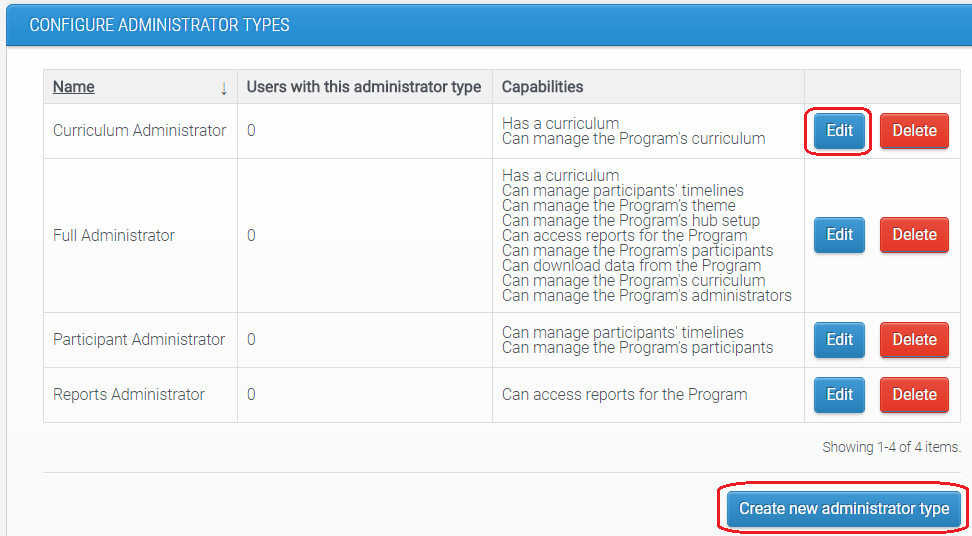
2. Take a look at the existing administrator types and the capabilities that they have. To access reporting, you will need to be added to the type with the capability 'Can access reports for the Program'. Therefore, you can either edit an existing administrator type and add this capability, or you can create a new type that has this capability.
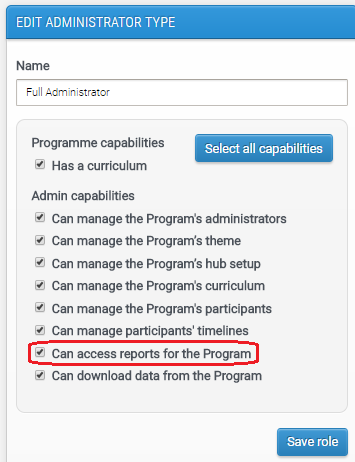
3. When creating or editing the administrator type, you will need to make sure the capability 'Can access reports for the Program' is ticked.
4. The final step is to make sure that you are added to this administrator type. You can do this through 'Program administrators' then 'Manage administrators'.
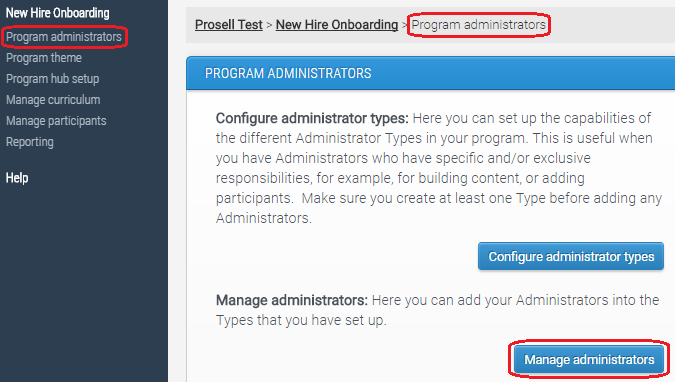
5. Once you are added to an administrator type with the reports capability, you will be able to see the 'Reporting' menu item on the left-hand navigation bar.
Comments
0 comments
Please sign in to leave a comment.