
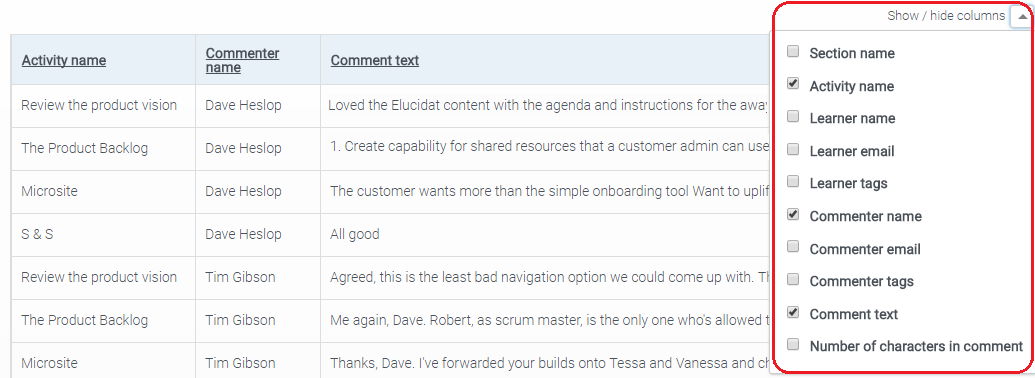
Even once you have put filters on a report, you might need to narrow it down further when viewing on screen because of the number of columns that there are. By using the 'Show / hide columns' dropdown box located at the top-right of the report table, you can hide columns that you do not need at that time.

For example, in the 'Comment detail' report you may just be interested in the activity name, commenter name and the comment text and so you can un-tick the checkbox for all other columns so that just these three appear on screen.
Comments
0 comments
Please sign in to leave a comment.