
How are participants notified that they have been enrolled into a program?
When participants are enrolled on a program (once they've been allocated a role), they are sent an automated email. The contents of this email depends on whether they have accessed the platform before, i.e. have they been enrolled onto another program previously?
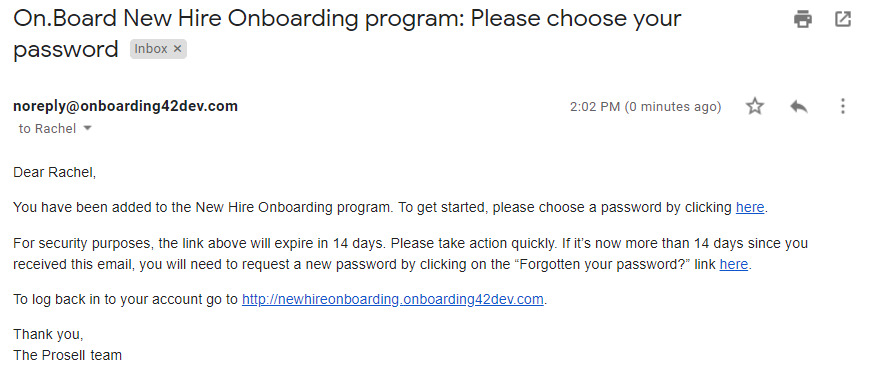
If this is the first program they've been added to, then the email will contain a link for them to set their password...
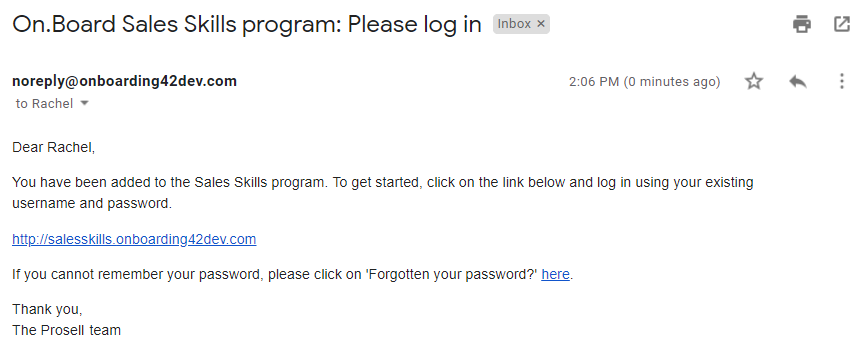
If, however, they have been added to another program before and have already set a password, then the email they receive will contain the program URL and ask them to log in using their existing password.
How to check if a participant has activated their account and re-send their email invite
There may be times when a participant is enrolled onto a program but cannot locate the original email invite to set their password. Either because it’s been lost among other emails or their email address may have been entered incorrectly by the administrator that enrolled them. In these cases, the participant account will not have been activated yet.
An account is activated when the participant sets their password (through the link in the original email invite) and is subsequently logged in to the program. You can check whether a participant has done this in the 'Account activated?' field on their 'Participant details' page in 'Manage participants'.
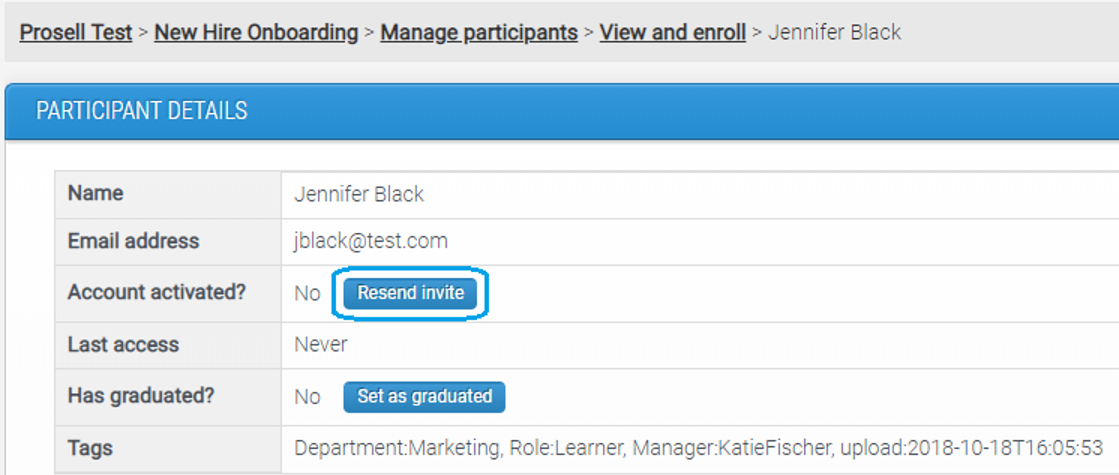
For accounts that have not been activated, there will be a 'Resend invite' button and clicking this will resend the original email invite that contains the link to set their password.
You can check participant access in bulk through the ‘Learner Overview Report’ by clicking on the column heading for ‘Last login date’ to sort by this and it will first display all those with no login date as they haven’t yet accessed their account. Remember you can use the ‘Show / hide columns’ arrow in the top-right to hide the irrelevant columns. 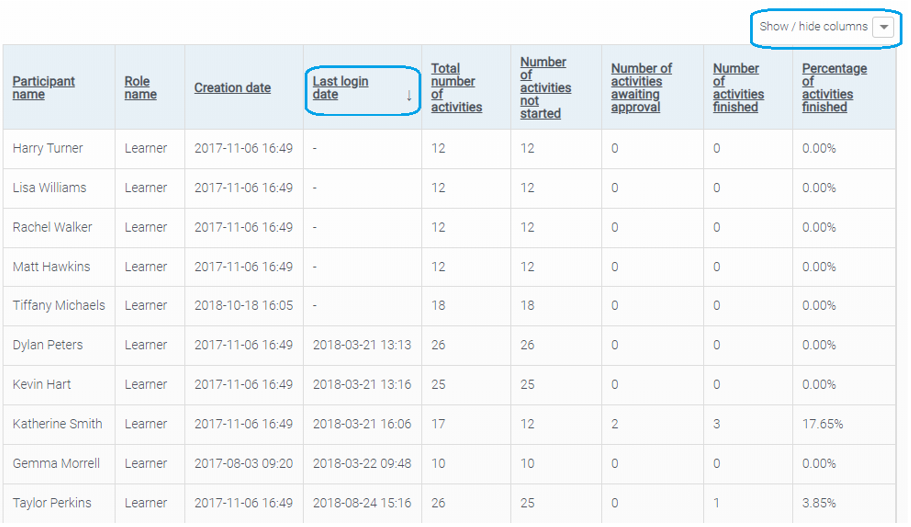
What if a participant has activated their account but cannot login?
There may be times where a participant is reporting problems logging in but they have previously activated their account and so the 'Resend invite' button is not available.
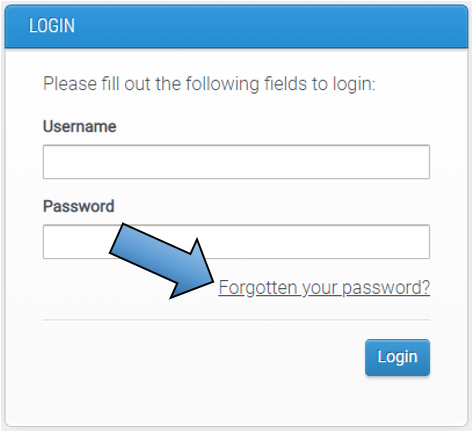
In this situation, you can either point them to the 'Forgotten your password?' option on their login screen, or you can action this on their behalf.
Go to the login page for either the admin (https://dashboard.onboarding42.com or the user (https://onboarding42.com), it doesn't matter which one, and click on the 'Forgotten your password?' link beneath the login fields.
Then, enter the user's email address in the field. We recommend copying this directly from the details held within the platform to ensure it matches and an email is sent.
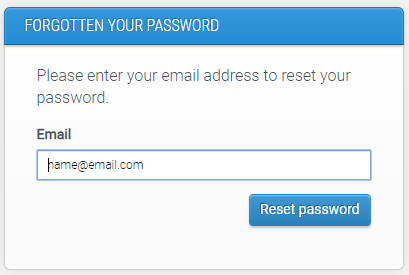
Upon clicking 'Reset password' the user will receive an email to set a new password (but only if the email address you entered matches the one registered in the system).
It could be the case that the email entered in the system is incorrect, which is why the user isn't receiving the emails. If this happens, you should correct the details through 'Edit details' on their participant page.
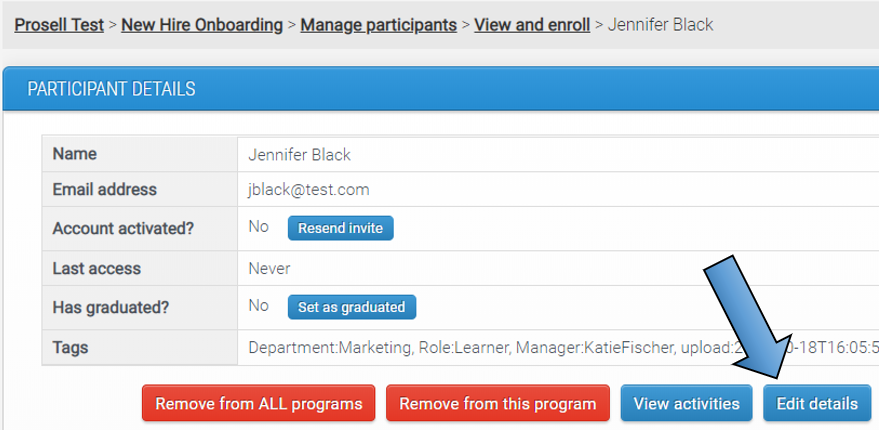
Once their email has been updated, enter the new email address into the forgotten password field to send them a link to set their password.
Comments
0 comments
Please sign in to leave a comment.