
You may be aware that once learners are enrolled, and therefore given a curriculum (their timeline), any changes then made to the curriculum (sections, steps or activities) will not be automatically applied to these learners. To replace their timeline with the new version of the curriculum you would need to refresh their timeline, which would reset all progress made.
You are able, however, to update SOME components of an activity without affecting their progress.
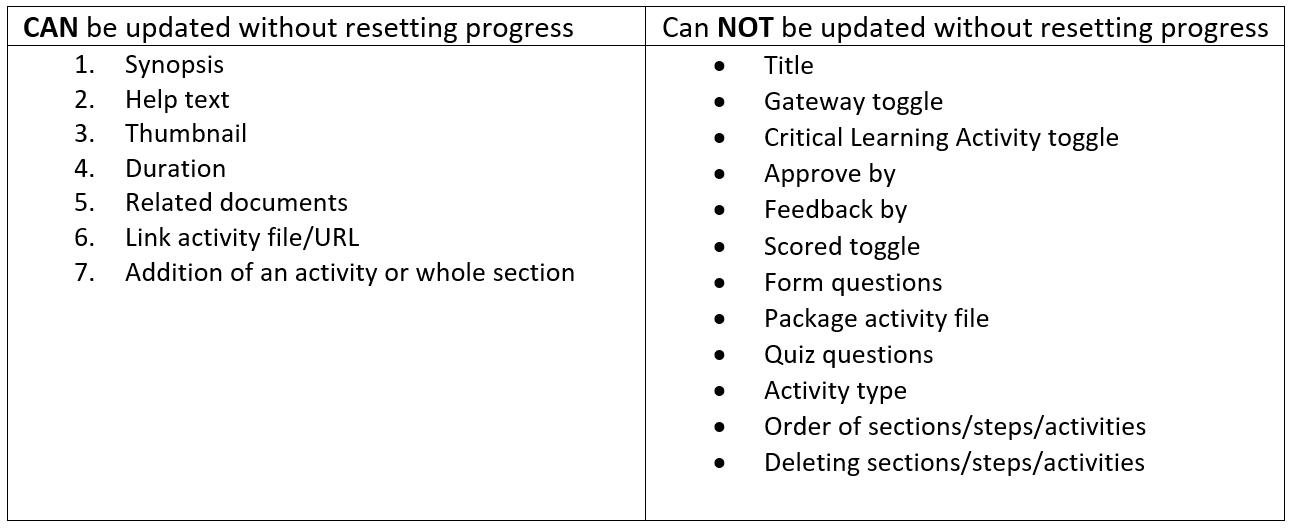
How to update activities in learners' timelines
Firstly, make sure the relevant updates have been made to your activities and that you've double-checked it is possible to update this part (see table above).
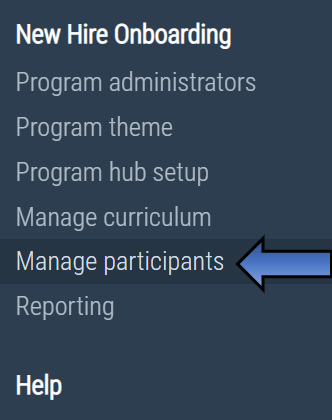
Then, access the multi-action tool through 'Manage participants' on the left-hand navigation menu.
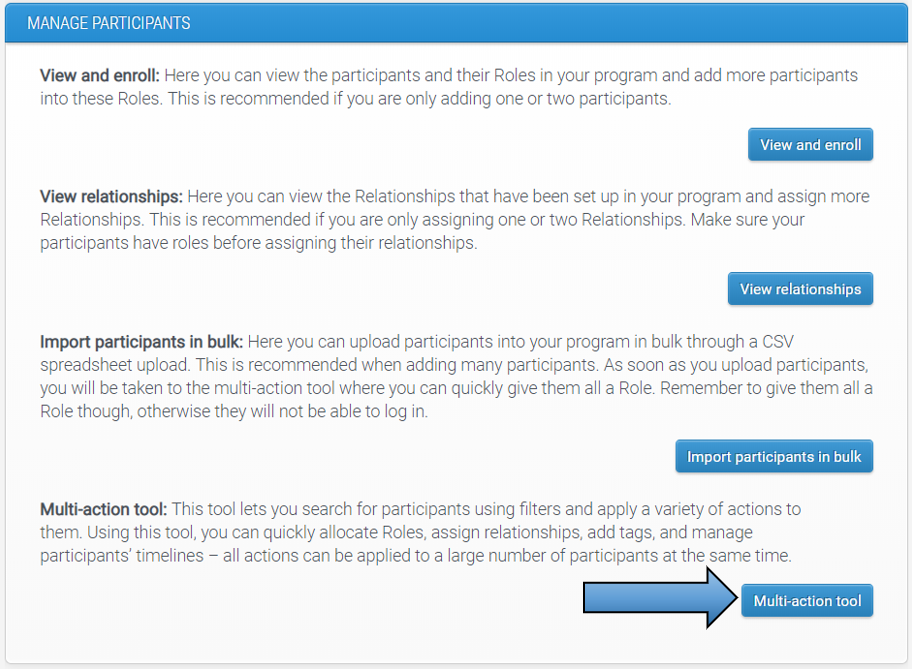
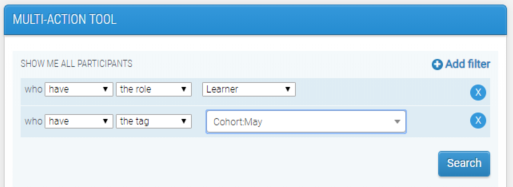
Use the filters to search for the participants who you wish to see the activity updates. A useful filter for this action would be 'show me all participants who have the role Learner', because timeline-related actions can only be applied to those with a curriculum. Remember, you can click 'Add filter' to narrow down the search even further (search for learners with a particular tag, for example).
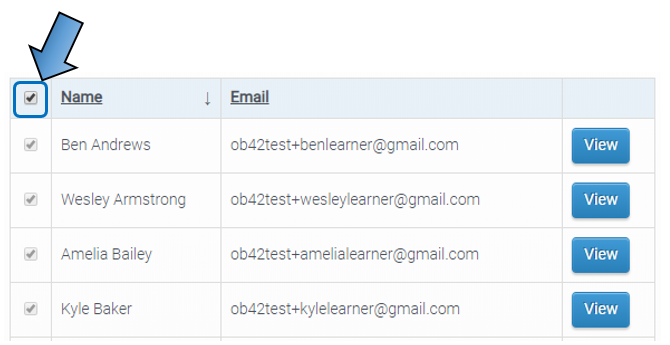
Click 'Search' and then select all that apply from the list. If you want to select all participants in the search results, which is useful in the example above where you are searching for all learners, tick the checkbox beside the 'Name' column heading.
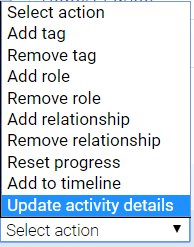
Use the 'Actions' dropdown box to select 'Update activity details'.
The latest version of your curriculum will then appear, where you will need to select the activities that you want to apply the updates to learners' timelines. An example of where this action might be useful is if details of a classroom-based workshop change and you therefore needed to update the activity synopsis.

Click the 'Apply' button to confirm your selection - but first be sure to check that the number of users displayed on the button is what you expect it to be.

The selected learners will then see the changes in the updated activities, and their progress will not be affected.
Comments
0 comments
Please sign in to leave a comment.