
What are Back-up Approvals?
There may be situations where a learner has completed an activity, is waiting for it to be approved, and the designated approver is not available. This may be an issue, especially if the activity is a gateway and therefore must be approved before progressing to the next section.
To mitigate for these circumstances, we have added a relationship capability called ‘Back-up Approvals’ so that another member of the Performance Hub can step in and approve activities if necessary.
How to enable this capability
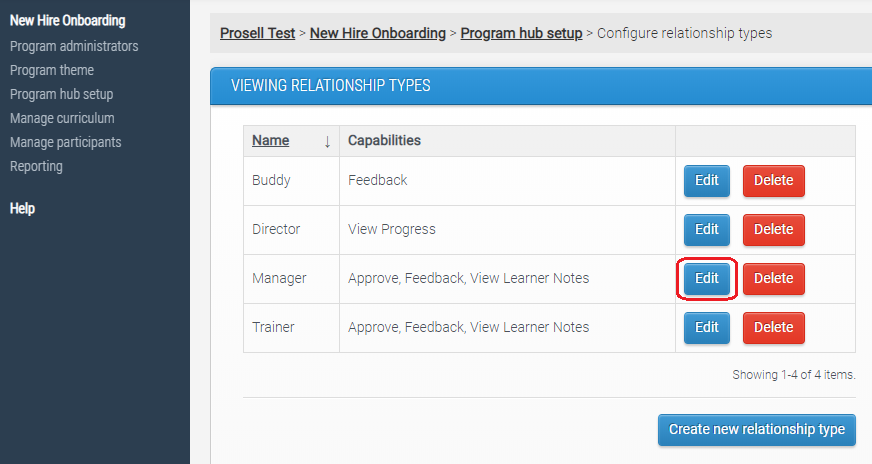
To add the capability to one of your existing relationship types, go to ‘Configure relationship types’ through ‘Program hub setup’ and then select ‘Edit’ beside the relevant type.
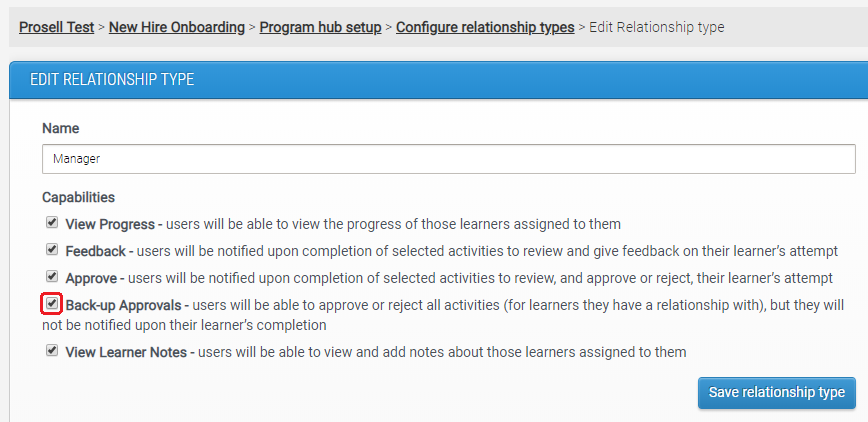
Select the capability ‘Back-up Approvals’ and then ‘Save relationship type’. In this example, the Manager has been given the back-up approval capability.
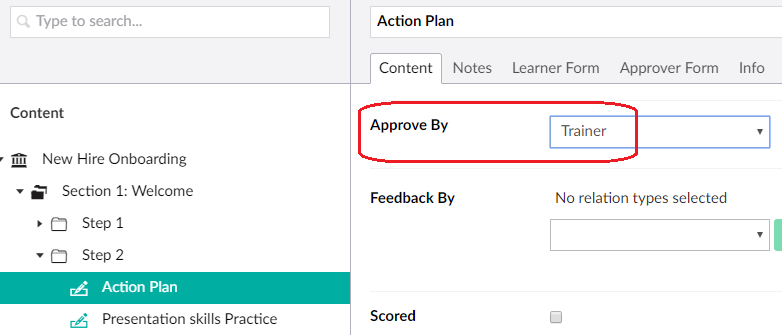
For the activity 'Action Plan', it is the Trainer relationship type that is selected as the approver.
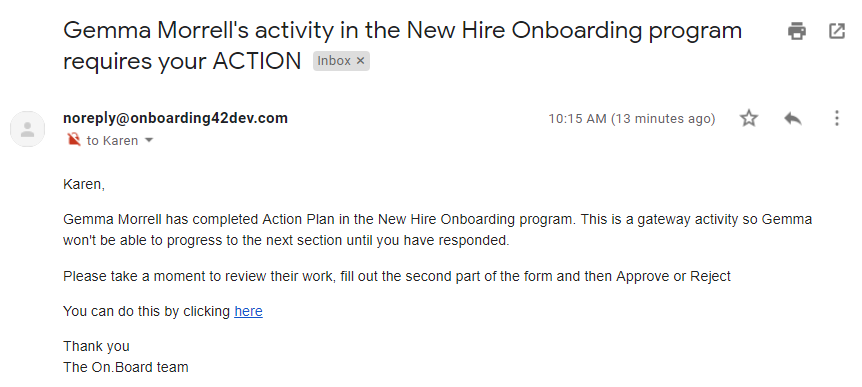
Therefore, once the learner completes their Action Plan, it is the Trainer who will receive the email notification asking them to review and approve/reject.
However, if the Trainer is unavailable and is therefore unable to action this approval, then those with the 'back-up approval' capability, such as the Manager, can find the learner in their contacts page, go to ‘View progress’ and then select the relevant activity that is ‘Waiting for approval’.
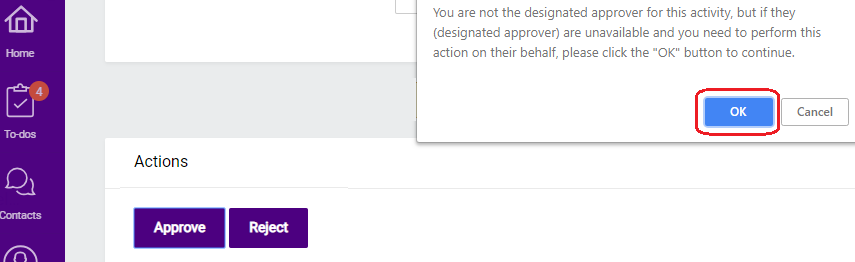
The activity will open, and they can review it and approve or reject. A message will appear advising them that they are not the designated approver and that they should only proceed if this individual is unavailable and they are doing so on their behalf.
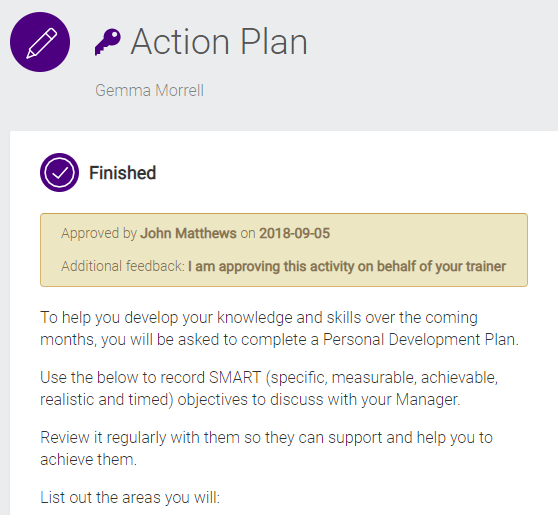
Once the activity has been approved (or rejected), a message will appear on the activity to say who actioned this and when so that the learner is made aware. This is also useful for the designated approver to see it was actioned whilst they were unavailable.
Comments
0 comments
Please sign in to leave a comment.