
On.Board enhancement: Asset Reference Numbers
Release date: Wednesday, May 19th, 2021.
Background
During one of our platform review sessions, a client mentioned that some of their assets (e.g., slide decks, documents, e-learning modules) are allocated a unique number, which is then used for compliance checks. Every version of each asset has a unique number. This is how compliance teams track who completed which asset and when.
We felt that adding an additional reference number to activity configuration could be beneficial for a range of client uses, while creating no new risks or maintenance issues.
Asset Reference Numbers Explained
There will now be an ‘Asset Reference Number’ field in the CMS. This field is optional and could be used in any activity. The field sits at the bottom of the ‘Content’ tab:
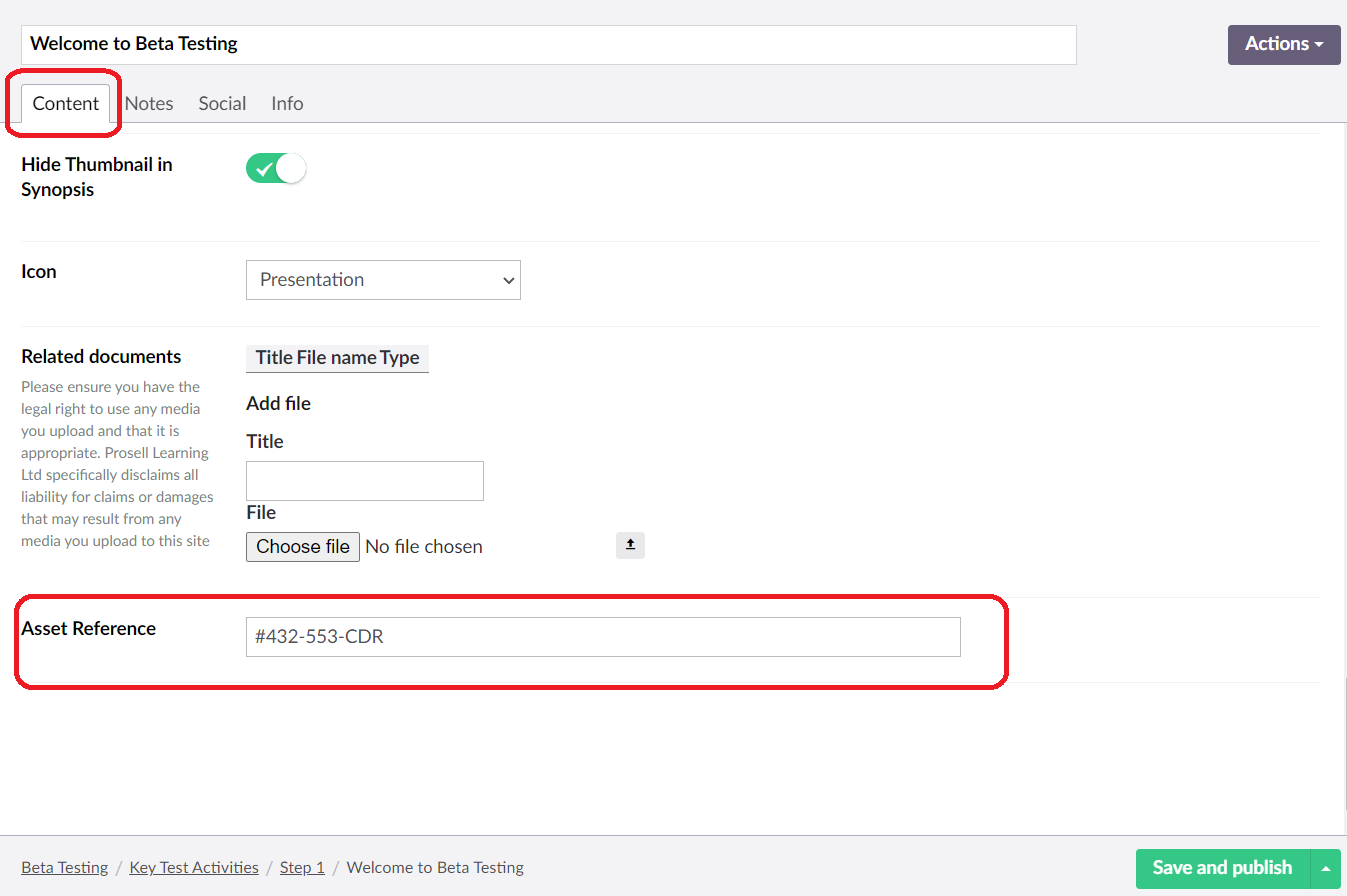
The Asset Reference Number field is a single line free-form field without a set character limit. This, in theory, allows for more than one asset number to be entered, however, this would need to be managed carefully on the client side.
The Asset Reference Number is not visible to participants. Instead, it will appear in ‘Activities by learner’ and ‘Activity overview’ reports.
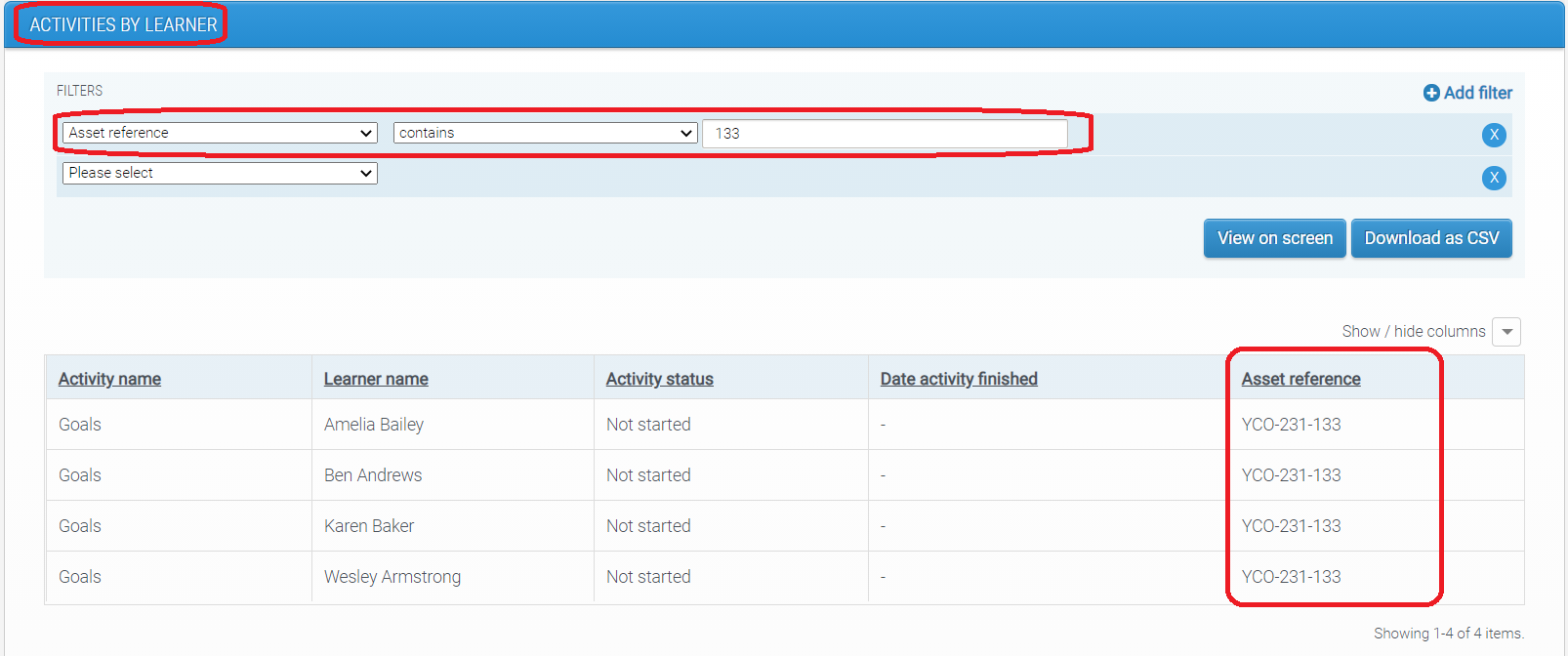
New column in ‘Activities by learner’ report will allow administrators to track asset completions by individuals. Administrators will be able to filter by participant’s name or by asset number to check completions.
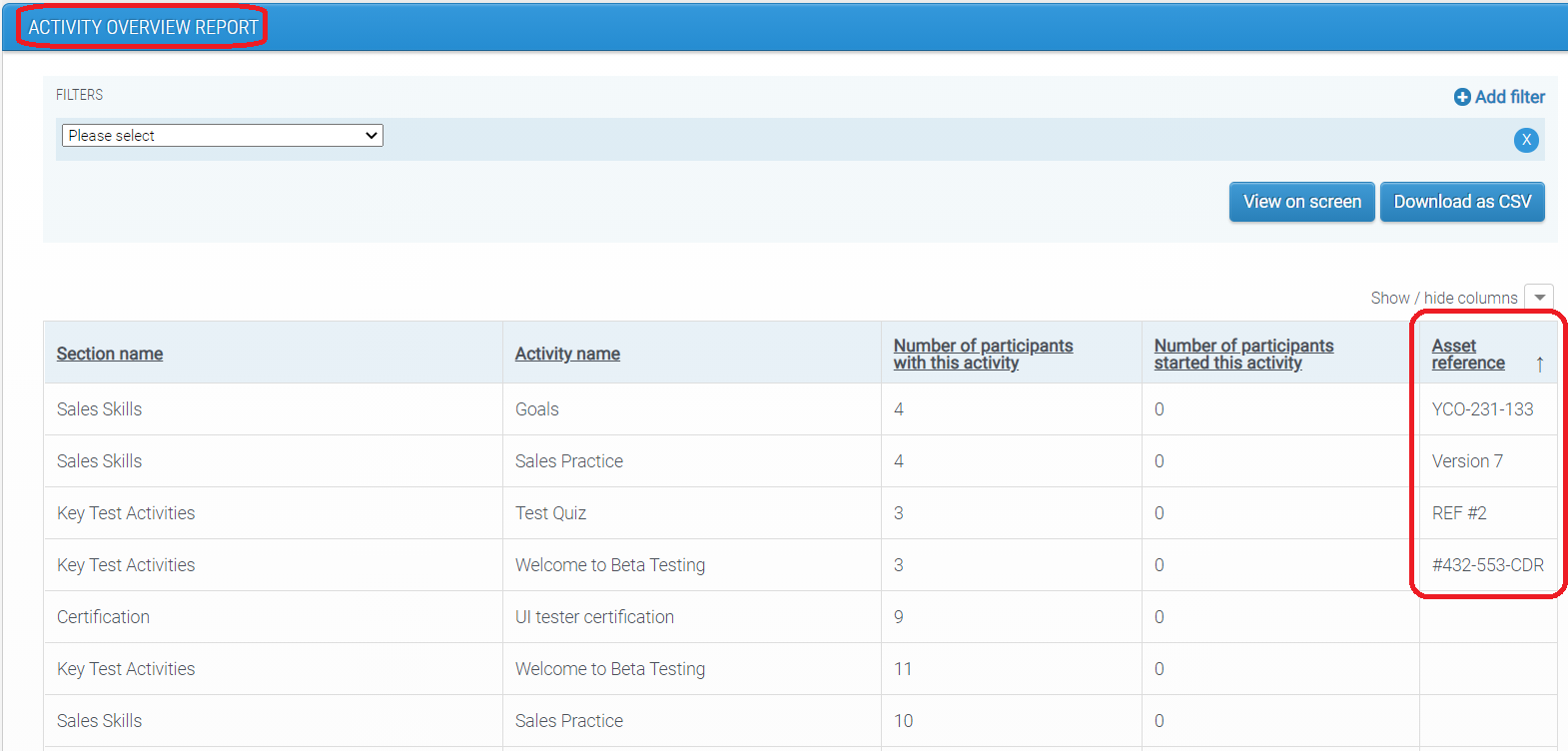
New column in ‘Activity Overview’ report will allow administrators to track which asset reference numbers are present in which activity and in which program.
Asset Reference Numbers will also appear in data extracts.
How are Asset Reference Numbers affected by timeline changes?
Activities are allocated an Asset Reference Number when they are added to the timeline.
If the timeline is reset, the new version of the activity will have the Asset Reference Number that was specified in the CMS at the point when the activity was pushed to the user’s timeline.
If activity details are updated for an activity that has an Asset Reference Number, then the Asset Reference Number will be updated too, unless user has already completed the activity, in which case Asset Reference Number will remain the same.
Is the Use of Asset Reference Numbers Mandatory?
No. There is no need for administrators to use this field unless they want to have an additional reference number for their activities.
Comments
0 comments
Please sign in to leave a comment.