
Challenges solved with this enhancement
- New administrators might not know or remember that role types and relationship types need to be set up separately
- Often, when creating a relationship types, administrators just have to duplicate the name of the role type they’ve created previously
- It might not be clear for new administrators how to get from a screen where they create new role types to the screen where they create new relationship types
Solution
When a non-learner role type is created, a corresponding relationship type is often needed to define the link between participants. You can find out more about setting up relationship types in this Help article.
If you created a role type that requires a corresponding relationship type, simply click the ‘Save role and add new relationship type’ button.
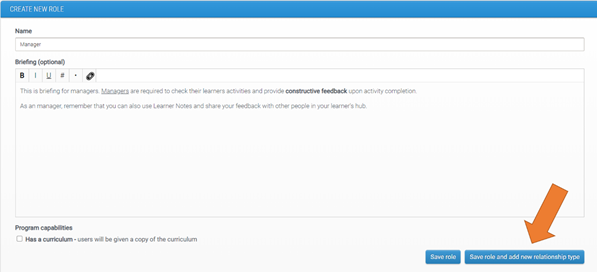
This will ensure that your role type is saved and you will also be taken to a page which allows you to set up the relationship type with the same (pre-populated) name and select relevant capabilities.
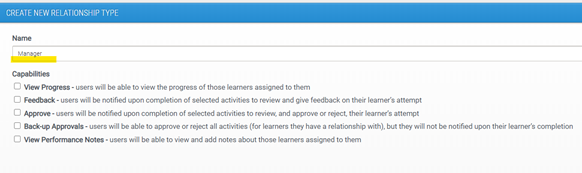
For differences in capabilities, please check our article for setting up relationship types.
Comments
0 comments
Please sign in to leave a comment.