
On.Board enhancement: Approver Email Reminders
Release date: Wednesday, May 19th, 2021.
Background and Concept
Approvers (e.g., managers, coaches etc) receive emails notifying them when their learners complete an activity that requires their approval. We have observed that some approvers miss these emails or are unable to review their learners’ activities at that point, leading to outstanding actions that are forgotten about with time. To deal with this, we decided to enhance our email reminder functionality to allow approvers to receive weekly email reminders if they have outstanding approvals.
From now on, platform administrators will have the option to activate this feature, on a program-by-program basis, so that approvers receive an automatic weekly reminder of their outstanding activities. Even if approvers are enrolled in several programs, with a varying number of ‘to dos’ (i.e., approvals) in each, they will only receive one email with all their activity reminders – so no overflowing inboxes!
Approver Reminders Explained
If ‘Approver reminders’ are switched on for a program, approvers will receive an email reminder every week (Wednesday 13:00 GMT) if they meet all of the following criteria:
- Have not logged on to the system for the previous seven days
- Have at least one outstanding approval to complete
- Have received email reminders for less than 5 consecutive weeks
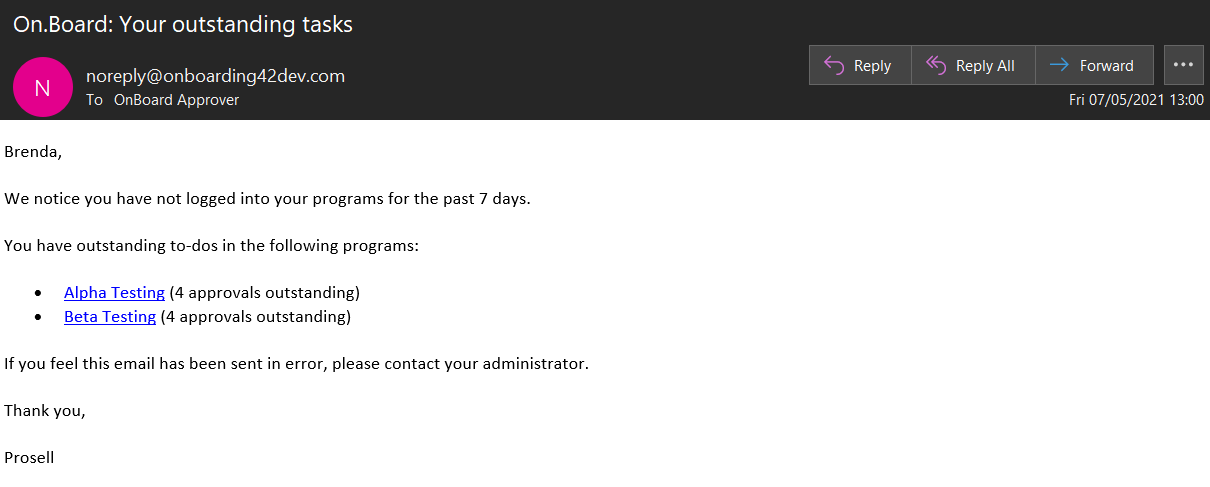
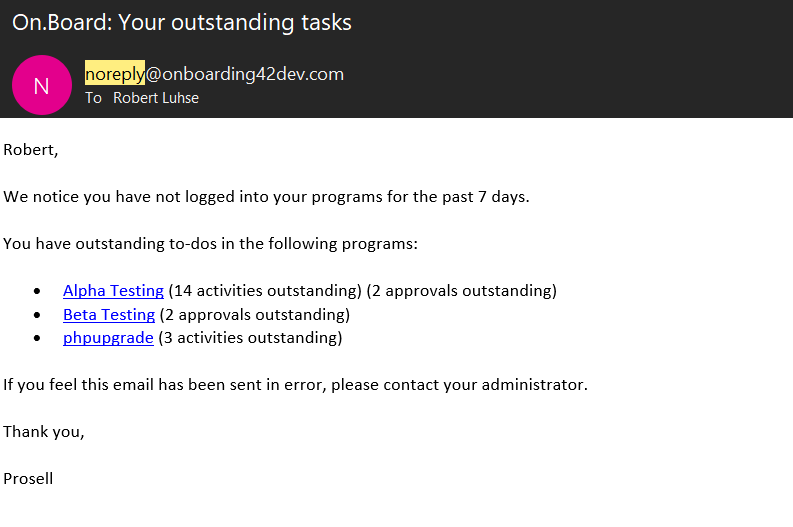
The email reminder will include a list of their programs (hyperlinked) and the number of outstanding approvals in each.
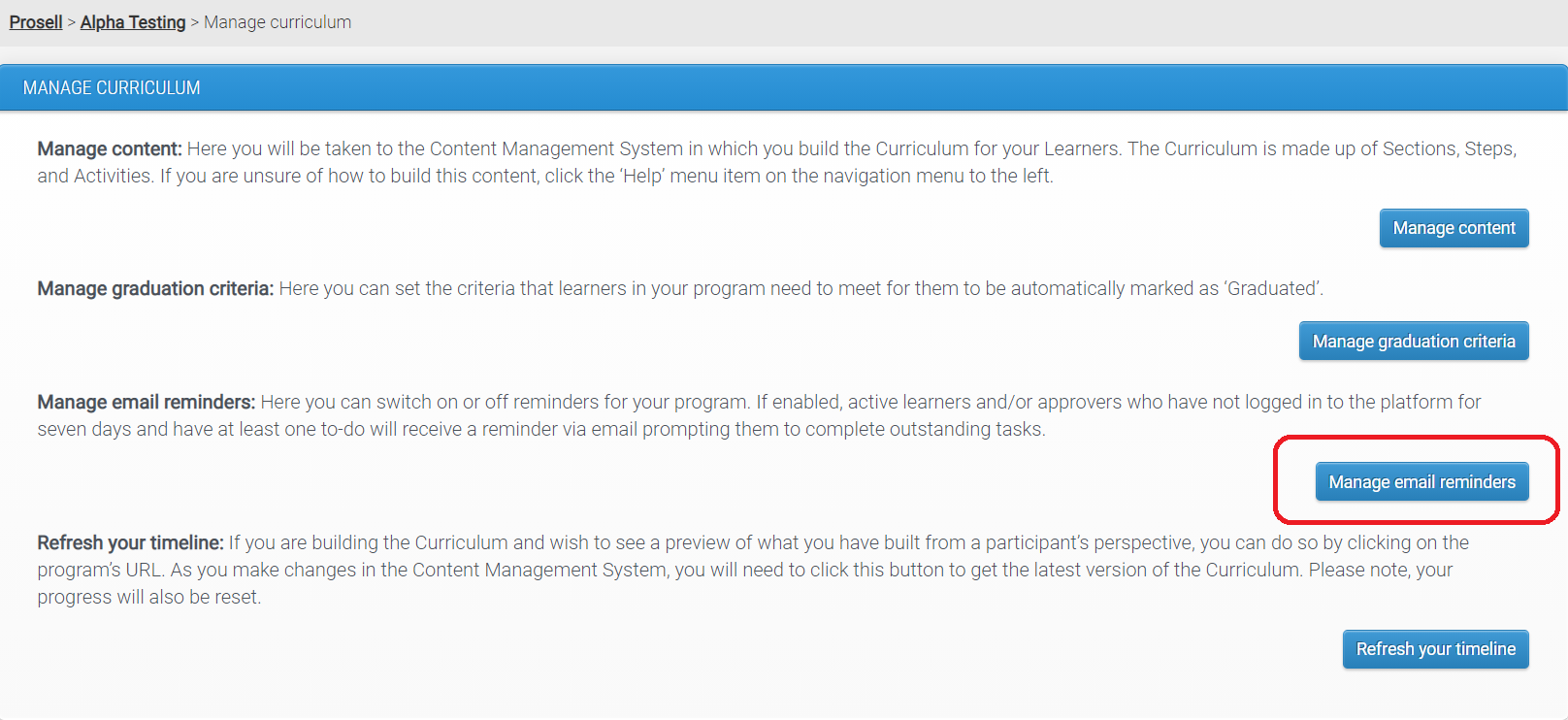
Curriculum administrators can switch email reminders on for your program through 'Manage curriculum' and then 'Manage email reminders':
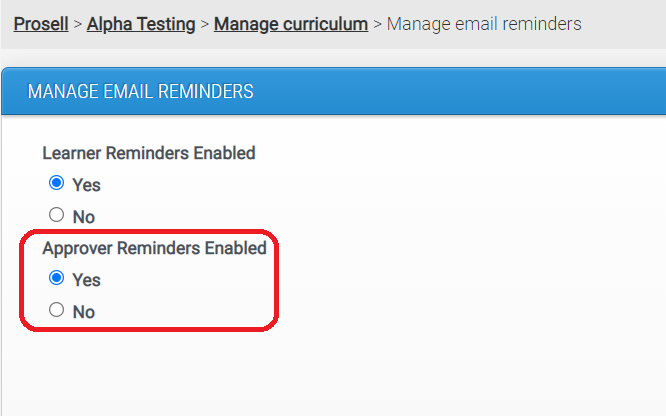
Toggle the ‘Approver Reminders Enabled’ switch to 'Yes' and press 'Save':
Is Enabling Reminders Mandatory?
No. By default Learner and Approver Reminders will be switched off. Each of these two reminder types can be switched on separately from each other.
What do the Reminder Emails look like?
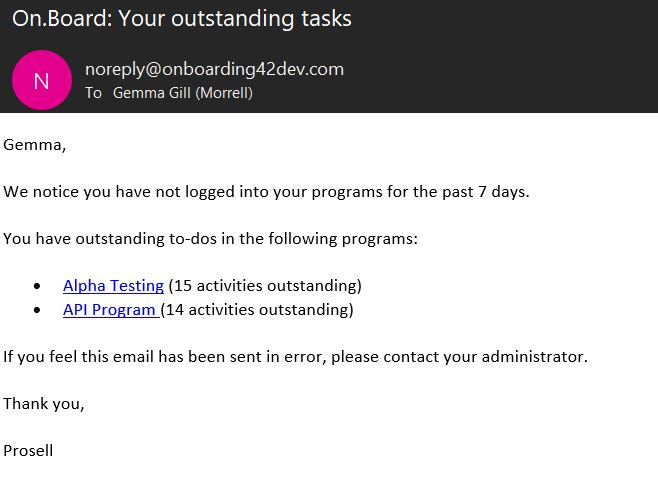
1. Learner reminder:
2. Approver Reminder:
3. Reminders for participants with dual roles:
Comments
0 comments
Please sign in to leave a comment.