
In November 2018 some exciting new On.Board features were developed to improve user experience.
1. Latest Updates
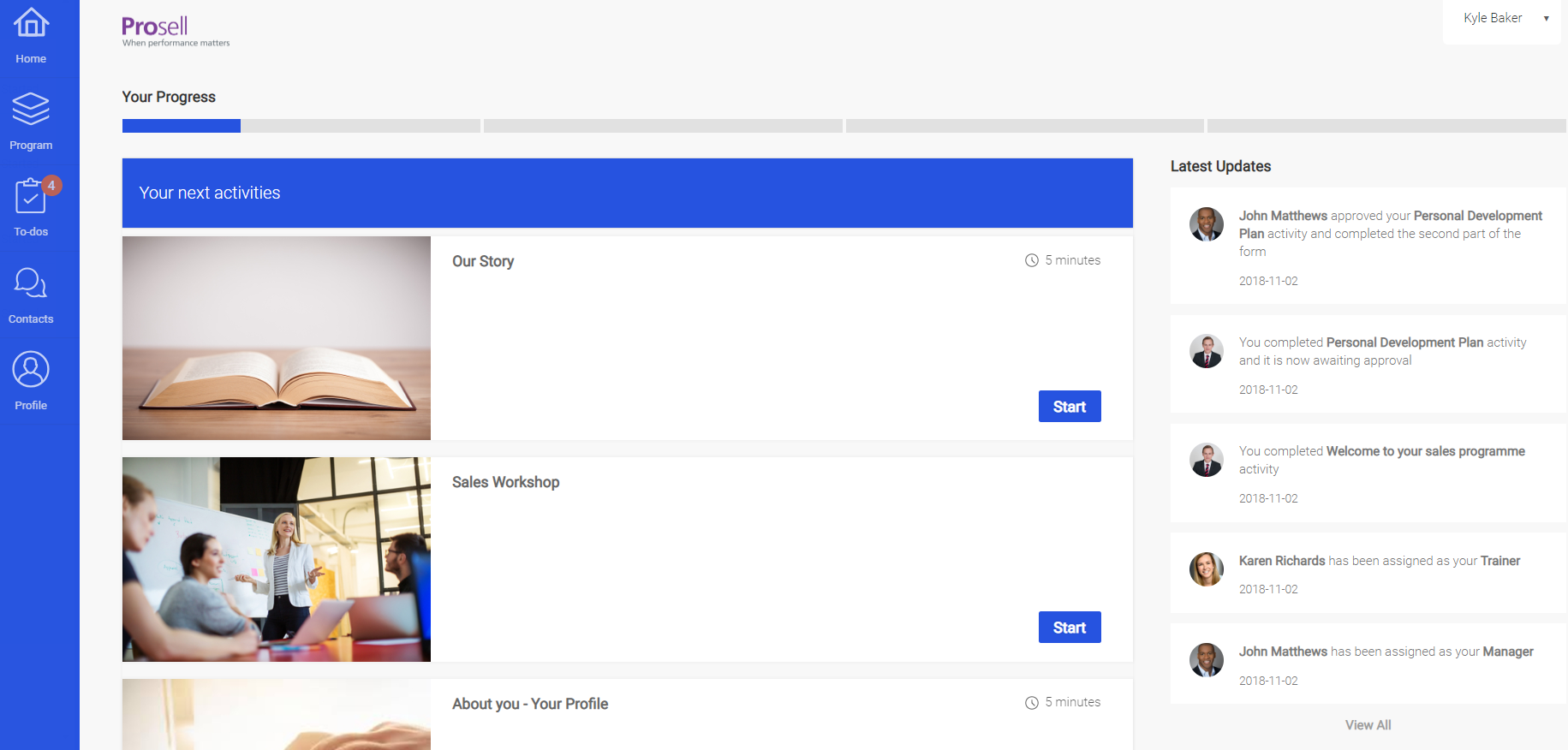
Participants will now see an updates column on the right-hand side of their home page. This will help to ensure that activity such as comments and approvals are not missed by hub members.
The kinds of updates that will appear here include:
- Activities awaiting approval
- Activities approved or rejected
- Comments left
- Hub members added
2. Role Briefing
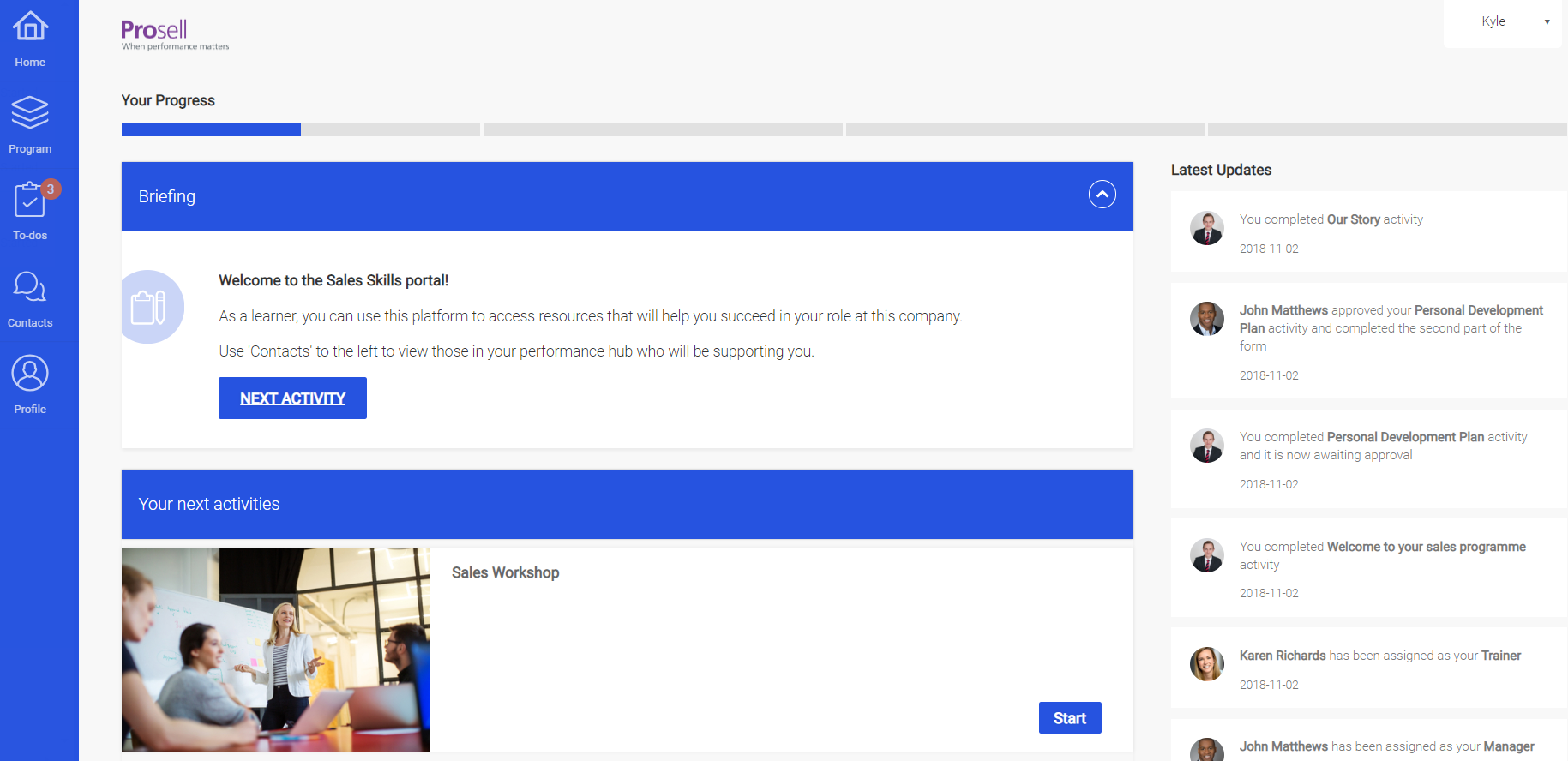
Program administrators now have the option to add a 'Briefing' section to the top of the participant home page, where text can be entered that is specific to the role they’re in.
Learners (those with a curriculum) might be briefed on the purpose of the program and the kinds of activities they will be required to complete, whilst other members of the performance hub whose role it is to support the learner, a manager for example, might instead be briefed on how they should go about giving this support.
3. Button Color Customization
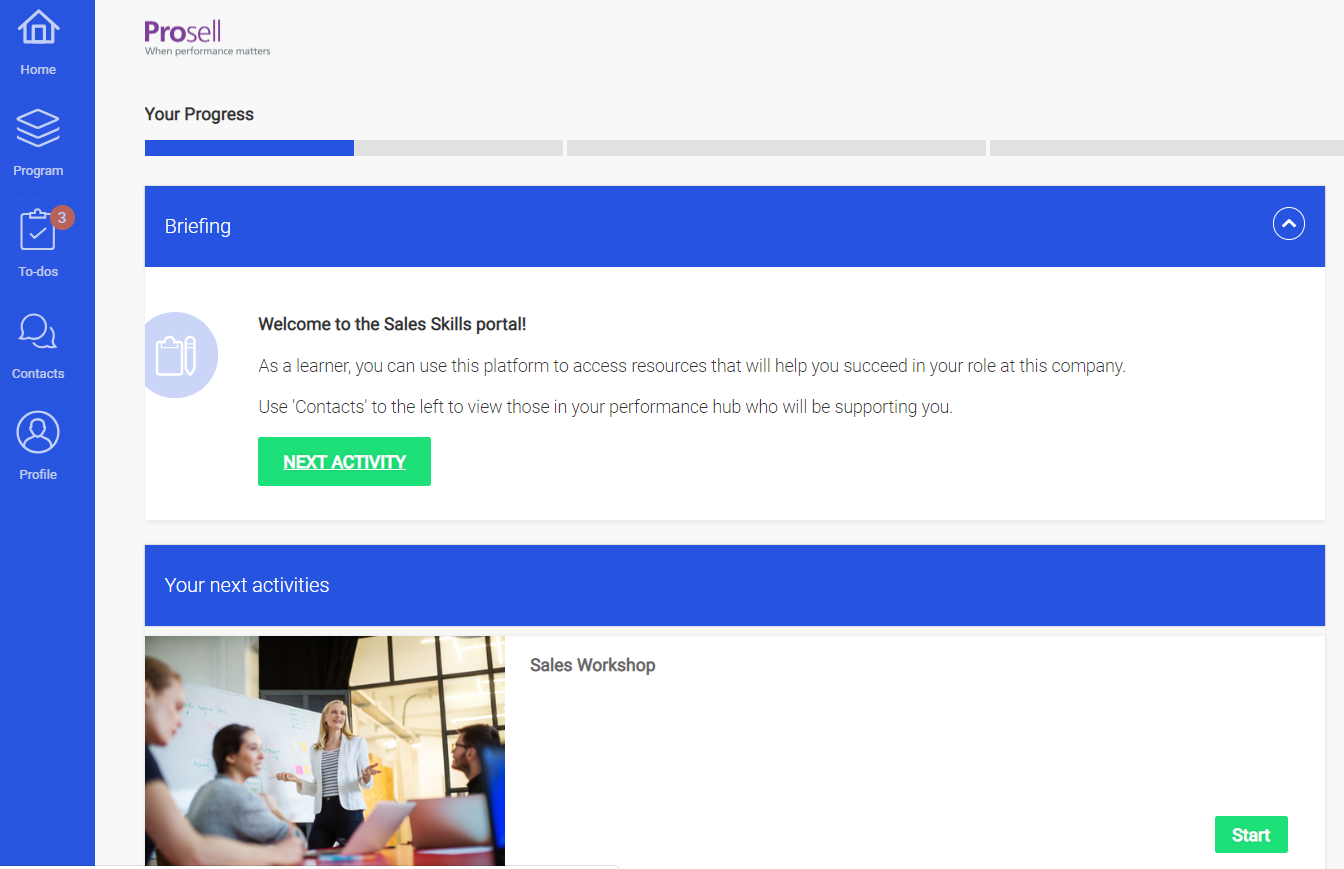
Before this release, there were just two parts of the interface where the colors could be customized by program administrators (toolbar/heading background and the text that appears on these). Now you can customize the color of the action buttons too - in the screenshot below these are green.
Check out the article on setting your program's color scheme here.
Comments
0 comments
Please sign in to leave a comment.